Buy mentorcoaching.eu ?
We are moving the project
mentorcoaching.eu .
Are you interested in purchasing the domain
mentorcoaching.eu ?
domain@kv-gmbh.de · 0541-91531010
Buy mentorcoaching.eu ?
Are the game progress saved in Xbox Cloud Gaming?
Yes, game progress is saved in Xbox Cloud Gaming. When you play a game on Xbox Cloud Gaming, your progress is automatically saved to the cloud, allowing you to pick up where you left off on any compatible device. This feature ensures that you can continue your gaming experience seamlessly across different platforms without losing any progress. **
Are the game progress saved on Xbox Cloud Gaming?
Yes, game progress is saved on Xbox Cloud Gaming. When playing games through Xbox Cloud Gaming, your progress is automatically saved to the cloud, allowing you to pick up where you left off on any compatible device. This feature ensures that you can continue your gaming experience seamlessly across different platforms without losing any progress. **

Similar search terms for Cloud
Top-Angebote
Products related to Cloud:
-
Modern Modular Cloud Couch Sofa with Ergonomic Support and StorageErgonomic Support with Convenient Storage: Designed for ultimate relaxation, the sofa's elevated backrest provides full-length support for your back and neck, banishing discomfort during long lounging sessions.611,99 $*Shipping: 0,00 $Secure redirect to the provider
-
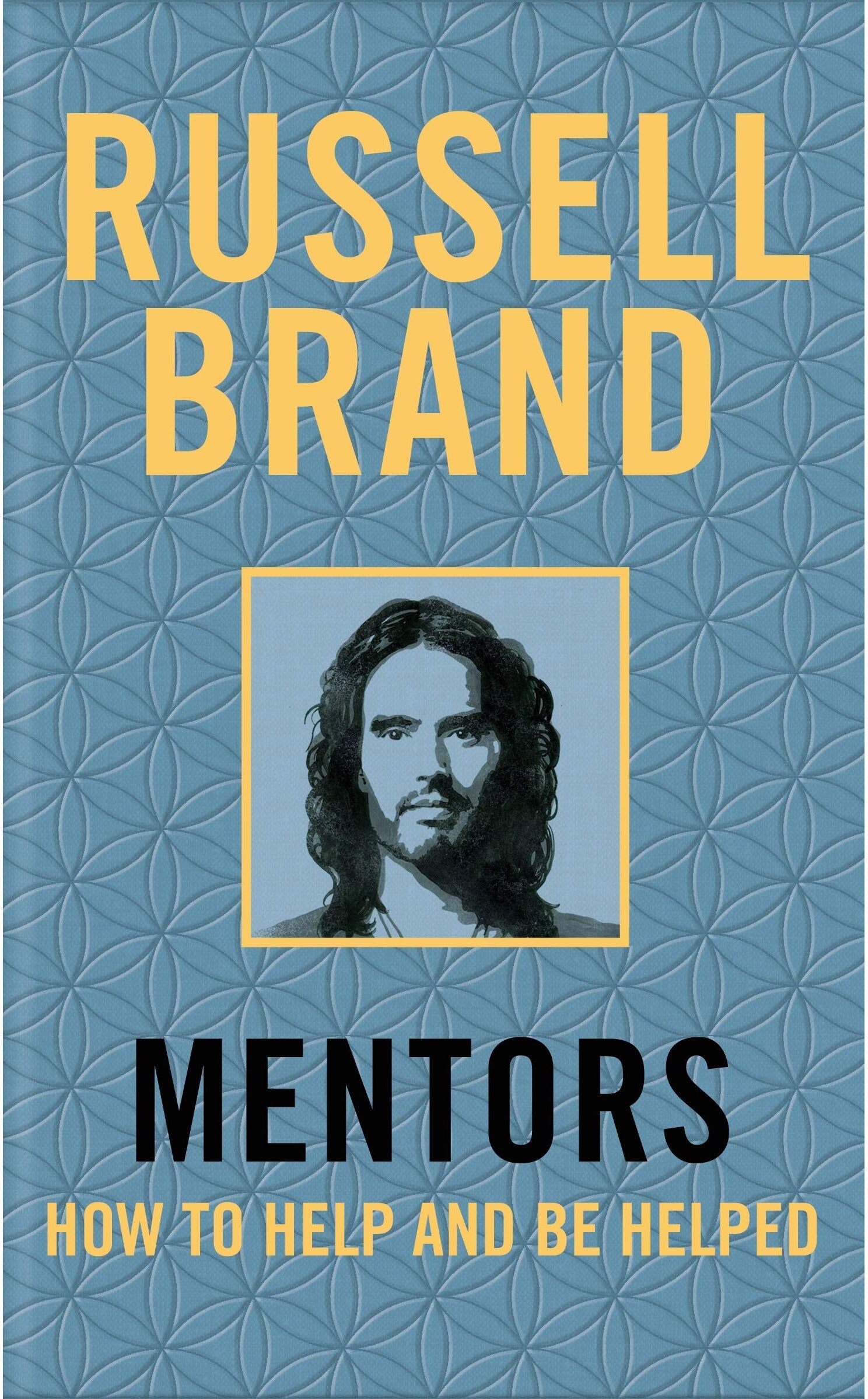
Bluebird Mentors: How to Help and Be Helped by Russell Brand – Personal Growth & Guidance BookRussell Brand Mentors How to Help and Be Helped ‘I have mentors in every area of my life, as a comic, a dad, a recovering drug addict, a spiritual being and as a man who believes that we, as individuals and the great globe itself, are works in progress and that through a chain of mentorship we can improve individually and globally, together . . . One of the unexpected advantages my drug addiction granted is that the process of recovery that I practise includes a mentorship tradition. I will encourage you to find mentors of your own and explain how you may better use the ones you already have. Furthermore, I will tell you about my experiences mentoring others and how invaluable that has been on my ongoing journey to self-acceptance and how it has helped me to transform from a bewildered and volatile vagabond to a (mostly) present and (usually) focussed husband and father.’ – Russell Brand Mentors: How to Help and Be Helped describes the impact that a series of significant people have had on the author – from the wayward youths he tried to emulate growing up in Essex, through the first ex-junkie stage, to the people he turns to today to help him be a better father. It explores how we all – consciously and unconsciously – choose guides, mentors and heroes throughout our lives and examines the new perspectives they can bring.1,99 £*Shipping: 1,99 £Secure redirect to the provider
-
Oliphant Cloud StorageThe Oliphant Cloud Storage is a cool and quirky way of storing an array of personal items. This space-saving organiser is not only a fun interiors item but it is also highly practical. Perfect for holding your phone, keys, receipts and coins, the product is designed to look like a cloud and features several sections of varying sizes, whilst the hidden compartment that's built into the base is ideal for storing important documents such as your passport or event tickets. Durable wood construction Hidden compartment ideal for important documents Incorporates different sized sections22,49 £*Shipping: 3,50 £Secure redirect to the provider
-
Uplift Treasures Cute Ceramic Star Moon Cloud Cabinet Knobs cloud whiteProduct Description: Add a playful and charming touch to your childs room with these cute ceramic cabinet knobs. Designed with star, moon, and cloud shapes, they instantly brighten up wardrobes, drawers, and cabinets while making furniture more fun...33,97 $*Shipping: 0,00 $Secure redirect to the provider



-
How can you save game progress in Samsung Cloud?
To save game progress in Samsung Cloud, you can use the Auto Sync feature to automatically back up your game data. First, make sure that Auto Sync is enabled in your Samsung Cloud settings. Then, open the game you want to back up and go to the game's settings or options menu. Look for a "Cloud Save" or "Save to Cloud" option and select it to upload your game progress to Samsung Cloud. This will ensure that your game data is safely stored and can be restored if needed. **
-
How do you save game progress in the Steam Cloud?
To save game progress in the Steam Cloud, you need to enable the Steam Cloud synchronization for the specific game in your Steam client. Once enabled, the game will automatically save your progress to the Steam Cloud whenever you exit the game. This allows you to access your saved game progress from any computer with the same Steam account. Keep in mind that not all games support Steam Cloud synchronization, so it's important to check the game's settings to see if this feature is available. **
-
How can a cloud form beneath a cloud cover?
A cloud can form beneath a cloud cover through a process called subduction. Subduction occurs when a layer of warm, moist air rises and cools as it encounters a layer of cooler air above it. This cooling causes the moisture in the warm air to condense and form a cloud beneath the existing cloud cover. This process is common in areas with unstable atmospheric conditions, such as during thunderstorms or when warm, moist air is forced to rise over a mountain range. **
-
Is my progress in Dead by Daylight saved in the cloud?
Yes, your progress in Dead by Daylight is saved in the cloud. This means that your game progress, including your unlocked characters, perks, items, and progress in the Bloodweb, is stored on the game's servers and can be accessed from any device as long as you are logged into the same account. This allows you to switch between different platforms and continue playing without losing your progress. **


How do I upload my game progress to the Steam Cloud?
To upload your game progress to the Steam Cloud, you first need to ensure that the game you are playing supports Steam Cloud saving. Once you have confirmed this, launch the game and go to the game's settings or options menu. Look for an option related to Steam Cloud saving and enable it. Your game progress should now automatically sync with the Steam Cloud whenever you are connected to the internet. **
How do you save offline game progress in the Steam Cloud?
To save offline game progress in the Steam Cloud, you first need to ensure that the game you are playing supports Steam Cloud saving. Once you have confirmed this, you can enable the Steam Cloud synchronization for the game by right-clicking on the game in your Steam library, selecting "Properties," and then checking the box next to "Enable Steam Cloud synchronization for [game name]." This will allow your game progress to be automatically saved to the Steam Cloud whenever you are online, and then synced to your other devices when you play the game offline. **
Top-Angebote
Products related to Cloud:
-
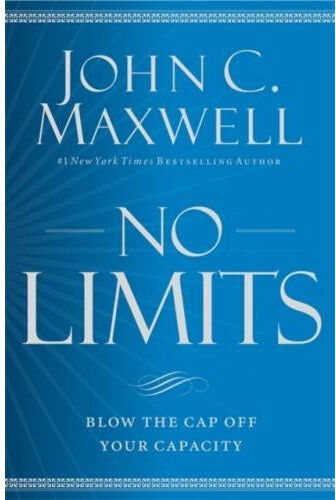
Little Brown Book Group No Limits: Blow the Cap Off Your Capacity by John C. Maxwell – Personal Growth & Leadership Development GuideNo Limits: Blow the CAP Off Your Capacity Description We often treat the word capacity as if it were a natural law of limitation. Unfortunately; most of us are much more comfortable defining what we perceive is off limits rather than what's possible. Could it be that many people have allowed what they perceive as capacity to define them? Have they allowed their perception to limit their attitudes about their potential? In his newest book; John Maxwell identifies 17 core capacities. Some of these are abilities we all already possess; such as energy; creativity and leadership. Others are aspects of our lives controlled by our choices; like our attitudes; character; and intentionality. Maxwell examines each of these 17 capacities; and provides clear and actionable advice on how you can increase your potential in each. He will guide you on how to identify; grow; and apply your critical capacities to your daily life. Once you've blown the 'cap' off your capacities; you'll find yourself more successful--and fulfilled--in your daily life.5,99 £*Shipping: 2,99 £Secure redirect to the provider
-
Tiny Tots Teens Trends Crawling Doll Baby Toy With Music, Early Education Crawling Guidance, Head Up Training Toy For Babies yellowIntroduce your baby to a fun and educational experience with our Crawling Doll Baby Toy with Music. This delightful toy is designed to guide babies as they learn to crawl, promoting early development and coordination. Fun guidance for babies to...29,97 $*Shipping: 0,00 $Secure redirect to the provider
-
Modern Modular Cloud Couch Sofa with Ergonomic Support and StorageErgonomic Support with Convenient Storage: Designed for ultimate relaxation, the sofa's elevated backrest provides full-length support for your back and neck, banishing discomfort during long lounging sessions.611,99 $*Shipping: 0,00 $Secure redirect to the provider
-
Bluebird Mentors: How to Help and Be Helped by Russell Brand – Personal Growth & Guidance BookRussell Brand Mentors How to Help and Be Helped ‘I have mentors in every area of my life, as a comic, a dad, a recovering drug addict, a spiritual being and as a man who believes that we, as individuals and the great globe itself, are works in progress and that through a chain of mentorship we can improve individually and globally, together . . . One of the unexpected advantages my drug addiction granted is that the process of recovery that I practise includes a mentorship tradition. I will encourage you to find mentors of your own and explain how you may better use the ones you already have. Furthermore, I will tell you about my experiences mentoring others and how invaluable that has been on my ongoing journey to self-acceptance and how it has helped me to transform from a bewildered and volatile vagabond to a (mostly) present and (usually) focussed husband and father.’ – Russell Brand Mentors: How to Help and Be Helped describes the impact that a series of significant people have had on the author – from the wayward youths he tried to emulate growing up in Essex, through the first ex-junkie stage, to the people he turns to today to help him be a better father. It explores how we all – consciously and unconsciously – choose guides, mentors and heroes throughout our lives and examines the new perspectives they can bring.1,99 £*Shipping: 1,99 £Secure redirect to the provider
-
Are the game progress saved in Xbox Cloud Gaming?
Yes, game progress is saved in Xbox Cloud Gaming. When you play a game on Xbox Cloud Gaming, your progress is automatically saved to the cloud, allowing you to pick up where you left off on any compatible device. This feature ensures that you can continue your gaming experience seamlessly across different platforms without losing any progress. **
-
Are the game progress saved on Xbox Cloud Gaming?
Yes, game progress is saved on Xbox Cloud Gaming. When playing games through Xbox Cloud Gaming, your progress is automatically saved to the cloud, allowing you to pick up where you left off on any compatible device. This feature ensures that you can continue your gaming experience seamlessly across different platforms without losing any progress. **
-
How can you save game progress in Samsung Cloud?
To save game progress in Samsung Cloud, you can use the Auto Sync feature to automatically back up your game data. First, make sure that Auto Sync is enabled in your Samsung Cloud settings. Then, open the game you want to back up and go to the game's settings or options menu. Look for a "Cloud Save" or "Save to Cloud" option and select it to upload your game progress to Samsung Cloud. This will ensure that your game data is safely stored and can be restored if needed. **
-
How do you save game progress in the Steam Cloud?
To save game progress in the Steam Cloud, you need to enable the Steam Cloud synchronization for the specific game in your Steam client. Once enabled, the game will automatically save your progress to the Steam Cloud whenever you exit the game. This allows you to access your saved game progress from any computer with the same Steam account. Keep in mind that not all games support Steam Cloud synchronization, so it's important to check the game's settings to see if this feature is available. **
Similar search terms for Cloud
-
Oliphant Cloud StorageThe Oliphant Cloud Storage is a cool and quirky way of storing an array of personal items. This space-saving organiser is not only a fun interiors item but it is also highly practical. Perfect for holding your phone, keys, receipts and coins, the product is designed to look like a cloud and features several sections of varying sizes, whilst the hidden compartment that's built into the base is ideal for storing important documents such as your passport or event tickets. Durable wood construction Hidden compartment ideal for important documents Incorporates different sized sections22,49 £*Shipping: 3,50 £Secure redirect to the provider
-
Uplift Treasures Cute Ceramic Star Moon Cloud Cabinet Knobs cloud whiteProduct Description: Add a playful and charming touch to your childs room with these cute ceramic cabinet knobs. Designed with star, moon, and cloud shapes, they instantly brighten up wardrobes, drawers, and cabinets while making furniture more fun...33,97 $*Shipping: 0,00 $Secure redirect to the provider
-
Tiny Tots Teens Trends Crawling Doll Baby Toy With Music, Early Education Crawling Guidance, Head Up Training Toy For Babies blueIntroduce your baby to a fun and educational experience with our Crawling Doll Baby Toy with Music. This delightful toy is designed to guide babies as they learn to crawl, promoting early development and coordination. Fun guidance for babies to...29,97 $*Shipping: 0,00 $Secure redirect to the provider
-
Tiny Tots Teens Trends Crawling Doll Baby Toy With Music, Early Education Crawling Guidance, Head Up Training Toy For Babies pinkIntroduce your baby to a fun and educational experience with our Crawling Doll Baby Toy with Music. This delightful toy is designed to guide babies as they learn to crawl, promoting early development and coordination. Fun guidance for babies to...29,97 $*Shipping: 0,00 $Secure redirect to the provider
-
How can a cloud form beneath a cloud cover?
A cloud can form beneath a cloud cover through a process called subduction. Subduction occurs when a layer of warm, moist air rises and cools as it encounters a layer of cooler air above it. This cooling causes the moisture in the warm air to condense and form a cloud beneath the existing cloud cover. This process is common in areas with unstable atmospheric conditions, such as during thunderstorms or when warm, moist air is forced to rise over a mountain range. **
-
Is my progress in Dead by Daylight saved in the cloud?
Yes, your progress in Dead by Daylight is saved in the cloud. This means that your game progress, including your unlocked characters, perks, items, and progress in the Bloodweb, is stored on the game's servers and can be accessed from any device as long as you are logged into the same account. This allows you to switch between different platforms and continue playing without losing your progress. **
-
How do I upload my game progress to the Steam Cloud?
To upload your game progress to the Steam Cloud, you first need to ensure that the game you are playing supports Steam Cloud saving. Once you have confirmed this, launch the game and go to the game's settings or options menu. Look for an option related to Steam Cloud saving and enable it. Your game progress should now automatically sync with the Steam Cloud whenever you are connected to the internet. **
-
How do you save offline game progress in the Steam Cloud?
To save offline game progress in the Steam Cloud, you first need to ensure that the game you are playing supports Steam Cloud saving. Once you have confirmed this, you can enable the Steam Cloud synchronization for the game by right-clicking on the game in your Steam library, selecting "Properties," and then checking the box next to "Enable Steam Cloud synchronization for [game name]." This will allow your game progress to be automatically saved to the Steam Cloud whenever you are online, and then synced to your other devices when you play the game offline. **
* All prices are inclusive of VAT and, if applicable, plus shipping costs. The offer information is based on the details provided by the respective shop and is updated through automated processes. Real-time updates do not occur, so deviations can occur in individual cases. ** Note: Parts of this content were created by AI.